Showing posts with label omgwhywontitend. Show all posts

Tuesday, 13 April 2010

It's a small world - uh, no it ain't!

One day, I'd like to see the entire world built as Moviestorm packs, then I can make any movie I can imagine. I want spaceships and salsa dancing. I want Aztecs and angels. I want janitors and jelly donuts. I want to make Boy's Own Adventure movies. And vampire cowboy movies. And steampunk James Bond movies. And post-apocalyptic Cthulhu mysteries. And everything else I haven't even thought of yet. I want it all, and so do you.

The other day I was looking back at some of the early Moviestorm documentation, going back to about 2005. Right back then, we were grappling with the problem of content, and how much of it there was to build, and how the hell we were going to break it down into manageable chunks. And, of course, where the hell we were going to start.

Here's how I approached it. Being an anthropologist by training, I got systematic with it.

When is the movie set?

I started by dividing the entire world into time periods:
  • Prehistoric
  • Biblical (i.e. 10,000 BC - 500 BC)
  • Classical
  • Dark Ages (to 1000 AD)
  • One per century until 1800 (8 centuries)
  • Regency
  • Early Victorian
  • Late Victorian
  • One per decade until modern day (10 decades)
  • Near future
  • Fantasy
  • Science Fiction


Where does the movie take place?

Within each of those time periods, I split it into the main geographic areas or nationalities. For the 13th century, for example, I had Western Europe, Moors, Crusaders, America (think Columbus), feudal Japan, China and Mongols.

For periods like fantasy & SF, I used different reference styles, e.g. Lord of the Rings, Conan or Cinderella, or Star Wars, Superman, Star Trek, and Mars Attacks.

In later periods you get much more diversity, so it averaged out at about 25 geographic blocks per time period.


Who are the characters?

Then I looked at the social or occupational groups in each of those blocks. Typically for historical periods you can get away with nobles & royalty, commoners, soldiers, priests, artisans and merchants. In more modern periods, you get many more groups, often based around music or specialised occupations. So in 1960s Britain, we'd have teddy boys, mods, rockers, hippies, shopkeepers, nurses, West Indians, city gents, the jet set, the Chelsea style, and so on. Again, it averaged out at about 25 groups per block.


For each of those groups, I figured we'd need between 5 and 100 customisable costumes, each in male and female variants. So the modern American military group would need both combat and dress uniforms for Army, Marines, Air Force, and Navy, covering different ranks and specialisations, and for different environments (desert, jungle, urban, arctic, etc).

Ancient Egyptian priests, by contrast, could be quite small, maybe only 6 variants: High priest & priestess, junior priest & priestess, acolyte (male & female). 1960s British City Gents are a pretty small group too: all you need is a couple of different pinstripe suits with and without waistcoats, bowler hats, umbrella, and briefcase, and then one in his shirt sleeves.

I didn't get anything like all the way through this bit of the analysis, but I guessed at an average of 30 costumes per group.

So, that's how many costumes?

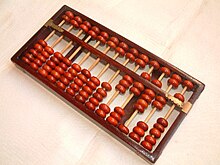
That works out at 28 periods x 25 places x 25 groups x 30 costumes. To save you getting out your calculating device, that's a little over 500,000 costumes. And that was just adult human characters. I didn't even get into robots, aliens, mutants, monsters, dinosaurs, cartoon characters, anime style, kids, babies, old people, or talking animals...


Choose your location

Now let's think about sets. Take the same mix of times and places, then think of the different environments in each of those: domestic, military, commercial, governmental, urban, rural, wilderness, scientific (and if you're feeling cinematic, throw in underwater, space, etc).

For each of those, come up with a list of specific sets. For a Western environment, for example, I cam up with a ranch (interior and exterior), several different types of church, a couple of saloons (high-class and dingy), a barn, a general store, a miner's trading post, a bank, a mine, a pass, the desert, open prairie, an Indian village, a courthouse, a jailhouse, a schoolhouse, Main Street, a hotel, a bordello, a cowboy camp, a livery stable, a fancy home, Boot Hill, the railroad station, farmland, a meeting hall, adobe houses, Mexican cantina, corral, ghost town, fort, military encampment, casino, steamboat, blacksmith, jailhouse, and so on. Watch a few John Wayne movies, spaghetti Westerns and Deadwood and you'll probably come up with a few more.


That worked out at about 50,000 sets, each potentially requiring buildings, props, vehicles, trees, furniture, and more.

What actually happens in your movie?

Then do a similar process for animations, and ask yourself "what can people do"? I found it easiest to break this down by looking through the social groups in the costumes section, and asking myself "what would these people do?" And then looking through the sets and the props for each one, and asking "what happens here?". Finally I watched a bunch of popular movies, and asked "what are these actors actually doing?" You get a pretty big overlap, but you get a huge list of categories. So you might end up with "work in an office", "buy something", "chat", "dance", or "commit murder".

Then, for each of those categories, list out a bunch of interesting and useful variants. At one point, I actually drew up a list of 50 ways to kill someone in a movie, ranging from "stab them in the back" to "drown them in the bath", "poison them", and "push them down the stairs". And that was before thinking of all the weird Final Destination type grisly endings!


I want the world, and I want it now!

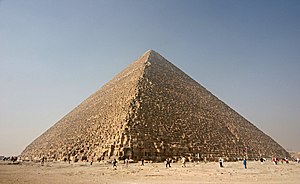
Building all that would be a monumental task. At a week per costume, it would take more than ten thousand man-years just to build the characters. With the sets and animations as well, it's about twenty-five thousand man years, about the same as it took to build the Great Pyramid of Giza. Or, to put it another way, if we'd had a thousand artists on staff from the day we made the very first prototype of Moviestorm, we wouldn't even be a quarter of the way through yet.

So far, we've made 30-odd packs, including over a hundred costumes, and about 60 stock sets, and thousands of animations. That's not bad for a team that's never had more than five artists in. It's certainly a hell of a lot more versatility than you'd get if you were making machinima in most games. But when you break the world down this way, you realise just how much there is left to build.
Thursday, 23 April 2009

Moviestorm 1.1.5, so near...

Version 1.1.5 has now passed testing. However, in yet another cruel twist of fate, the patcher won't work. Apparently it's something to do with automatically updating dll's which is causing the grief this time. We're hoping to get a fix later today.

Friday, 11 July 2008

You can tell release is near when...

... you overhear the following exchange.
Ben: Rendering isn't exactly going as well as I might have wished.

Dave: In what way?

Ben: Like Matt said, but without so much French.

Dave: Hmmm. Any ideas, anyone?

twak: No, but I suspect I'm guilty... It's all gone a bit Friday.

Monday, 14 April 2008

Once more ... with feeling!

One of the new features in Moviestorm release 1.0.4 will be the new gesturiser interface.

You add gestures in the same way as before, using the ring menu, but now you get this little tool - with explanatory text! To add a gesture, click the + button at the left of the micro-timeline track.


Now you get a collapsible list of all the gestures you can add. The little red arrows indicate whether the gesture is "complete" (i.e. it takes you back to the standard idle pose afterwards) or "incomplete" (i.e. there are one or more follow-on gestures you can do afterwards, like you get with most of the dance moves, for example). The gesturiser now understands these "gesture chains" properly, so you can only add gestures that follow smoothly, and you won't get nearly as many of those annoying jumps and discontinuities between animations.


There are a lot of gestures (about 2000 separate animations all told in the dev version I'm running, which includes all the add-on packs we've released, and quite a few we haven't). This gets seriously unwieldy to browse through, so if you hit Filter (at the bottom of the list) you get a tag cloud which narrows your search down.


When you find a gesture you like, click the right arrow just by the micro-timeline and your gesture pops onto the track. You can now scrub it, drag it, and so on.

To add more gestures, just keep adding to the existing track, and they'll get put onto the end, or else, as here, click the + next to a new track to have several gestures going on at once.


One new feature that doesn't show up too well (unless you click on the picture above and get it full size) is that when you click on a gesture in the list, the character performs the action. Here, Melissa's previewing a "wave". This allows you to see what you're going to get, rather than trying something and then finding it isn't what you wanted after all. It's one of those tiny little changes that means that adding performance and characterisation to a scene becomes a whole lot easier.

And, hidden away where nobody except twak will ever find it, is are the hooks for a cunning piece of code that will enable us - in some future release - to add in a really powerful little feature. What we're planning is to have three different ways to drag activities on the micro-timeline. The basic drag will move an activity along the timeline exactly as it does now. The two other drags will enable you to change the duration of the activity in different ways. One changes the duration of an activity, so you can do it slower or faster; the other simply repeats the activity for as long as you want. This is dead handy for things like guitar animations - you just say "play the guitar", drag it to the right speed, then drag it out for a minute or so, and you have an instant backing musician.

Friday, 11 April 2008

Pause, take a deep breath, carry on...

It's been a long, long haul between releases this time, but the finishing post is on sight. Assuming Dick Swayze doesn't find any more last-minute nasties, 1.0.4 should be good to go early next week.

This has been one of our biggest sprints to date. Just to summarise, this release includes:
  • New timeline UI
  • New gesturiser UI, including gesture previewer
  • Better faces
  • Improved ambient shadowing
  • Name tags in director's view
  • Miscellaneous performance & memory improvements
  • Various new features to support the upcoming Sci-Fi pack
  • New start sequence
  • Change to way you load movies
  • New launcher and update mechanism
  • New mouse bindings for set navigation
  • Improved walk pathing and step animations, and less sliding around
  • Better rendering, especially for close-ups
  • New female faces and hair
  • Guns now have muzzle flashes
  • New mouse cursors to show what you can do with a prop or other object
  • Pack names shown in tag browser for props
  • Fixes to cutting room
  • Improvements to the way props are held
  • ... and a host of miscellaneous tweaks, fixes, and improvements!
So, we're going to award ourselves a weekend off, enjoy the sunshine if there is any, and then start work on the next release...

Wednesday, 9 April 2008

Things you don't see

Adding new features or new artwork into Moviestorm is great. We all get to crane our necks over someone's monitor and go "oooooh". Then we make test movies which show off the new new stuff, and we can all see the results right away. And, of course, we can post nice screenies up here so you guys can go "oooooh" as well. We like that, yessir, we do. It makes us feel good.

However, a lot of what the code monkeys get up to has absolutely no visible benefit, isn't glamorous, and doesn't have any "wow factor" at all. For this upcoming release, for example, they've addressed a nagging memory issue. Whenever you switched scenes, the memory usage gradually built up, until MS was chewing up ridiculous amounts of memory and basically ground your entire machine to a halt. They've also fixed a horrid little bug where cancelling a render from a single camera could - sometimes - cause a crash. Plus they've been nibbling away at issues such as load times, graphics card support, and tiny little performance issues. Each little tweak may only improve things by 5%, so it's hardly even perceptible, but with enough of them, that adds up over time to a much faster and smoother app.

Something which is much more obvious when you're using MS, but still isn't the kind of news you go shouting from the rooftops, is that we've still been bashing away at the mouse bindings for set navigation and camera framing, trying to get something which is intuitive, consistent with what different people expect, and enables you to do all the things you need in a film tool. I don't know how many different bindings we've tried over the last two years, trying to take into account Mac users, different types of game UI, different types of 3D package UI, and so on, not to mention different people's tastes. The only way to do it is to try something, and then use it for a month or two, and see whether it "feels right" after you unlearn the previous version, and once you have any new features in and working. I've been using the new controls for a about three weeks now, and I'm finding them much better, although I do find myself occasionally reverting to the old way unconsciously. Going back to using 1.0.3 for demos feels quite clunky by comparison.

I could go on for pages, listing all the tedious and insignificant issues in our bug database that they address every day, but I'd get bored writing them and you'd get bored reading them. With around 300,000 lines of code in Moviestorm at the last count (and more every day), there are always niggling little errors to chase down and fix. And, just to add injury to insult, it's usually dealing with those evil little bugs deep down in the architecture that causes everything to fall over in a big stinking heap and stop working, at which point everyone else in the building starts to swear, curse, and bang their heads on their keyboards because their movie just broke.

It's a bug. (A stink bug, if you must know.) I just don't like posting without at least one picture. Plain text is just so 19th century!

These hidden changes aren't revolutionary, interesting to look at or world-shattering, but when you put them all together, that's how we make Moviestorm easier and nicer to use. In the background, we just keep grinding away. It's gonna be worth it.

OK, that's enough of the boring stuff. We'll have something pretty to show you tomorrow.

Tuesday, 8 April 2008

a timeline of a new timeline

I've been spending the past few weeks months eons (on and off) rebuilding Storm's timeline. There were several reasons behind this:
  • The old timeline was, let's face it, ugly
  • The old timeline didn't use Java's standard JComponent hierarchy, meaning it was never really going to work with the tutorial system
  • Labels for activities couldn't be manipulated if they were behind one another.
  • The old timeline was, let's say it again, ugly!
This is what we started with - the main timeline and the gesturizer -


So me'n'Matt sat down and designed a dumbbell-like system. Each circle is an event in the activity and the ribbon between shows the progress of the animation (a twist for every repeat - or something).


This was accompanied by a bunch of frantic doodling trying out new ideas. Cool ideas here are a zoomy-timeline (left hand side) that scales up as you mouse over it, and putting "tabs" on the top of labels so they could be brought to the front.


Once the basics were implemented Mitch and me disappeared into the flea-pit for a day to come up with a more complete skin. After lots of whiteboarding and inkscaping (an awesome rapid prototyping tool) we came up with a page of ideas. At this point the tube-line skin was looking good - it was very usable in particularly crowded circumstances and had a kick-ass style of it's own. We dropped the "twisty" idea: although it was great for showing you repeats, it was just too fussy and we wanted something a lot cleaner.


( tube-line is down the right hand side of this screengrab)

When you clicked on an activity a ring menu (similar to the one on set) appeared to let you manipulate each activity. We eventually dropped it because it was just too fiddly.


The next big improvement was to add labels (people couldn't tell which colour was which activity on first glance & first use) and adding texture (so peeps could differentiate between different ways of extending an activity).


Although the dumbbells stacked well (their central line moved to show those underneath) we didn't like manipulating activities through only their end points. It always felt you should be stretching them when you were just moving them around. So we lost the big endings, and polished up some details -


Mitch did a nice set of sprites to skin the timeline and master monitor, and a bag of niggling bugs later, we were pretty much good to ship.


So, what's changed? Well, among other things.....
  • The colour-coding on the items is now based on the type of activity, not the actor, which makes it much easier to see what's going on.
  • The "grab handles" are clearer, so you know where to grab the activities. There's a new type of grab handle for some activities which allows you to stretch or loop them just by dragging (this feature is on it's way but won't be in the next release).
  • Activities resize dynamically so you can fit several things on a line simultaneously and they're still quite clear.
  • When an actor has to move to do an action, the walk and the action are clearly linked.
  • The timeline background has a subtle pattern on, which helps you get an idea of the timescale.
  • The zoom button has been moved and now doesn't look like it's there to scroll the timeline up and down.
  • There's a new timeline cursor which is much clearer and more precise.
  • The play controls have been superimposed on the mini-monitor to save space (will people click on the monitor instead of the play button? we'll just have to wait and see ;) ).
  • The gesturiser UI and workflow has been completely redesigned, and the timeline in the gesturiser is now linked to the main timeline. You can only add sequences to the gesturizer that flow into each other - many less jumps in the animations.
  • There's no "end of time" - you can keep on adding events whenever you like ( about bloody time)
  • It's a whole lot less ugly!
And to remind y'all how much the timeline has evolved over the years, here are some images from the archives of really ancient concepts and ideas, most of which never saw the light of day!