Video files. Honestly, who invented them? They really are evil little critters.
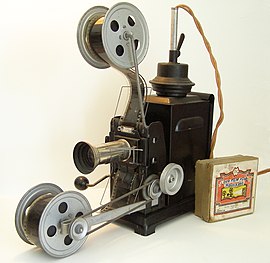
Once upon a time we used to watch movies by shining a light through pictures moving very fast. Then we had this bright idea to start shooting electron beams at a magic tube and moving that back and forth very very fast. Then we decided to convert everything into 1's and 0's, turn that into beams of light, fire them around the planet, under the sea, up into space, and into your home, and read them very very very very fast indeed. This required us to invent a bunch of file formats, and then perform strange black magic rituals over them called compression and decompression so that we can squirt even more 1's and 0's around and read them even faster.

Which is where we get to codecs. (Compression and Decompression, you see. Clever, huh?) Codecs are one of the Great Mysteries of Life when you're a video editor. You use a codec to make your video file smaller (or maybe two, one for the video and one for the audio), and then the person at the other end uses the same one to read it. You can usually tweak your codec settings to give you different results: you can opt for bigger files and better quality, or smaller files and lower quality, or if you're really clever, dedicated, and willing to persevere, you can mess with keyframes and all sorts of settings to get the perfect balance.
So, why are we going on about this today? Well, we're not happy with the video uploading to Moviestorm. We support lots of video formats, but we don't support as many codecs as we'd like, and the end results aren't good enough. Low-quality video, sound sync problems, some videos simply not encoding... yeah, we know.
So we messed around, tried various things to make it better, and gave up. Then we brought in a bunch of specialists, encoding.com, and we'll be using them to encode videos uploaded to Moviestorm. This should enable us to support more videos and give us better quality streaming. It'll also enable us to move to a two-stage encoding process, the same as you get on the big video sites like YouTube. You'll get a low-quality version of your video pretty rapidly, and then that'll be replaced a higher-quality version a short while later.
It's worth taking a look at the video formats they support - and the ones they don't. (Seriously, take a look, and see how many obscure or archaic video formats you don't even recognise.) And, significantly, even though this is their area of expertise, they don't promise to support all codecs for any given video format.
We're not sure when this will be up: we're still testing and ironing out a few bugs. Last word we had from the team is "if it goes really well, maybe this week, if it doesn't, then maybe next week, if it goes really badly, then it won't be next week." We're also working on assembling a list of known good (and bad) codecs and settings. However, this is a mammoth, time-consuming, mind-numbingly tedious task, and there's no way we'll get through all known codecs. So far, we've tested the following, and are working our way through a bunch of others that we can get out of Premiere and Pinnacle (and Vegas if we have the time):
- X-Vid video codec
- MPEG-2 codec
- MP4 codec
- MP4 AVI Wrapped
- 3gp codec
- HD WMV
- MP4 AVI Wrapped with space in title
- Indeo 5.1 Codec
- Quicktime sample
- Cinepak codec
- WMV with WMV9 & WMA10
When we get the new encoding up, we'll post the list on the forums and/or wiki - if you want to add your own codec experiences, successful or unsuccessful, that would be hugely, massively, mightily appreciated, by other Moviestormers as well as our QA team!